

You can copy, paste, & cut the content in and out from Windows clipboard but do you know if there is a way to clear it up? Apparently, there is.
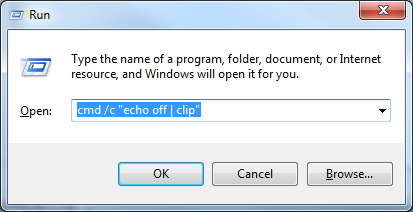
When needed, simply run the following command in the Command Prompt window, or from Win+R Run window:
cmd /c "echo off | clip"
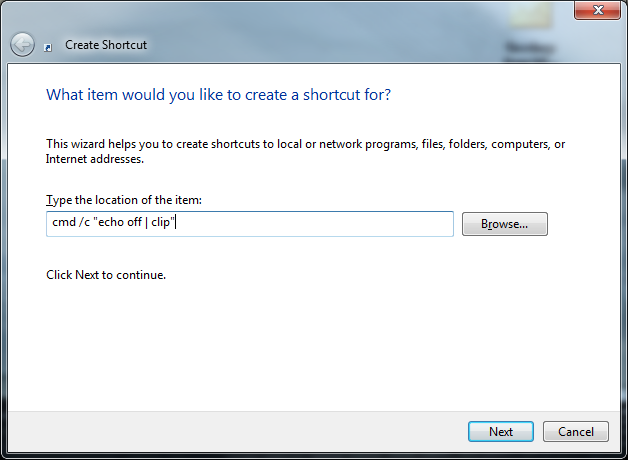
To make it even more efficient, you can create a shortcut with the command as the location of the item, and save it in a place where you can easily access, such as the desktop.
To find out if it works, check out these tips to view what’s in your clipboard.
Was this article Helpful?
Thank you for the feedback!
It works on my Win7 without any quoatation marks.
cmd /c echo off | clip
Mine says, ERROR: ACCESS IS DENIED
Are you logged in as an administrator?
Please let DOS Rest in Peace ! It is not the dos window, its the Windows Command Prompt.
Thank you and no offense
…aaaand i’m assuming that Windows Command Prompt just dropped one day from the sky straight in the Win’s heart with no past and for no reason whatsoever
The Windows Command Prompt has nothing to do with DOS.
It replicates the dos environment
DOS isn’t dead, it’s lurking under every Microsoft operating system patiently waiting for attention.
Yes it is dead. There is no DOS in Windows anymore. http://www.howtogeek.com/132488/does-windows-still-rely-on-ms-dos/
Awesome tip. I didn’t realize how addicted I was to clipbrd.exe until it was gone. Thanks!
Thank you!!
thank yooooou!!!
I cant F-in believe it, windows is for one geek to rub the swollen head of another geek- What an F-in embarrasment this program is. No damned wonder Bill stepped away, and Steve Ballmer is soon to leave as well. But when it comes to productivity windows makes a yellow legal pad look pretty damned productive.
Win7; what an abomination!! At least XP was solid and predictable.
Windows 7 is solid and predictable too.
XP is dead, like or not, time to move on.
Great tip. Thanks.